.svg)


Preface
World Wide Web is still very young being: in current shape it has over a dozen years, however it grows very dynamically. Not long time ago a majority of users browsed Web only via desktops or laptops that had monitors with relatively similar resolutions and dimensions. Internet Explorer was mainly used for websites browsing; Firefox, Chrome or Opera were less popular.
Last 4-5 years is a period of very buoyant growth. Brand new devices appeared through which users can browse the Web. More and more often websites are being viewed on smartphone or tablet, also on television set and soon even on special glasses or watches.
This triggers website interfaces evolution: they become more complex, dynamic and in the same time friendly and convenient, also for people with disabilities. RWD approach becomes a standard, AJAX is broadly used.
For web developers, who create website and web applications, this means a lot of new aspects that they need to take into account during their work. Further to mentioned earlier responsiveness, this among others is: code optimization for better performance, scalability or current standards. All those activities – especially in large projects – are very time-consuming. In order to solve that problem (among others) front-end frameworks were created.
What is front-end framework?
Before moving to framework definition, let’s decode “front-end” phrase. In a brief, it is application interface (in WWW context in most cases it is a website interface), so all what user sees and allows him to use the application.
Website or web application interface usually consists of:
- HTML code that is responsible for a structure (information order),
- CSS (Cascading Style Sheets) which main task is to visually format website,
- JavaScript code, used to incorporate dynamic elements, e.g. slideshows, calculators or expanding menu.
Framework is a platform, foundation on which ready software solutions are built, in this particular case – web interfaces. For this purpose front-end framework consists of ready components, which are used by a developer when working on a project. What is more, aforementioned components, if necessary, can be modified or adjusted to current needs (it should be done with precautions though in order to not spoil related components).
Overview of selected frameworks
Bootstrap
Bootstrap is currently the most popular front-end framework. It was created by Mark Otto and Jacob Thornton, developers working in Twitter. It was creators’ intention to build a tool that will support developers in fast development of web applications, applications that will have consistent code and in the same time – become easier in maintenance and further development. Initially it was used only in internal projects, but in August 2011 it was publically released on MIT license. Newest Bootstrap version is marked with number 3, from 2nd version it supports responsiveness.
Bootstrap has modular structure, its most important components are:
- CSS files - contain global settings and define - using number of ready and complementary classes - look of the most important HTML items, i.e. text, lists, form elements, tables or images.
Besides CSS files contain classes that allow creating responsive layouts quickly and many other handy classes.
Complement to the above is set of ready-to-use, frequently employed on today’s websites, components. These include expanding elements, buttons with advanced features (e.g. grouping), navigation menu, paginations, messages or progress bars. - JS files - contain ready-to-use plugins of popular jQuery library and allow for enriching created interface with dynamic elements quickly. Most important are: modals, carousel sliders, dynamic tabs, expandable lists, accordions or tooltips. What is worth mentioning, aforementioned items can be manipulated not only using JS code, but also by attributes of the HTML tags.
Using a tool that is available online, user can adjust framework to his needs, without interfering directly in the source code. It is possible to:
- Pick selected CSS and jQuery plugins that will be actually used. This optimizes weight of the output Bootstrap files.
- Modify default Bootstrap settings that refer to colors, type and size of fonts, breakpoints or margins and spacing. It is significant facilitation, in particular for less experienced developers and the amount of changes that can be done this way is very large (tens parameters).
It is worth to add that framework offers detailed documentation and because of its popularity it is possible to find a lot of helpful resources.
Bootstrap uses LESS, which is dynamic stylesheet language.
More information and downloads can be found at: http://getbootstrap.com/
Foundation
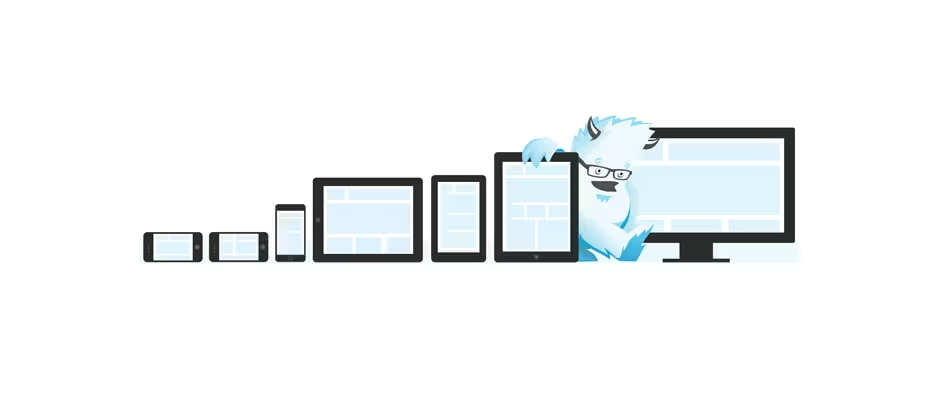
Framework created in 2011, developed by California-based company called ZURB. Currently fifth edition is available. Similarly to Bootstrap it was first created to support development of new orders (mainly to speed up prototypes build time). After certain time it became independent project, released as open-source. Authors praise themselves that Foundation was first widely available framework supporting responsiveness.
For companies that use this framework commercially, ZURB offers professional support service (there are several packages available that are different in terms of support level and response time).
Foundation provides the following:
- Defines global styles, look of the most popular HTML elements (text, tables, form elements, lists, images, etc.), but also styles responsible for responsiveness or visibility of particular site areas in various resolutions.
- Styles covering less common, but frequently used components, among others: information panels, pagination, navigation or breadcrumbs.
- Possibility to use existing jQuery plugins, what facilitates implementation of dynamic interface elements. Within Foundation 5, these are plugins that support:
- dynamic loading of different content variants dependable on screen’s width,
- dynamic loading of different content variants dependable on screen’s width,
- images presentation in a form of slider (orbit slider) or on overlay as gallery (clearing lightbox),
- validation of data entered in form fields,
- additional functionalities for buttons and button groups,
- tabs, accordions, tooltips, messages and modal windows.
Foundation was built using Sass, thanks to which it offers extended possibilities in terms of quick adjustments of default styles. It is also relatively easy to be integrated with web applications.
More information about framework is available at: http://foundation.zurb.com.
Gumby
Gumby is open-source framework created by interactive agency Digital Surgeons. Currently version 2.6 of this framework is available. Similarly to all other modern front-end frameworks available today, Gumby supports responsiveness.
It uses Sass, what makes possible to promptly customize default styles specifically for requirements of particular project.
Framework offers predefined styles for such elements as buttons, pointers, form elements, navigation, tabs, tooltips and tables. Authors have also provided set of dozens of ready-made icons.
Furthermore Gumby contains additional styles that allow creating dynamic interfaces. For example, there are classes responsible for freezing particular element on defined height, supporting modal windows, accordions or scrolling site to given height. Besides, once “retina” type screen is detected, developer can easily implement usage of high-resolution images.
There are also optional extensions available that perform specific advanced features, among others responsive images support, parallax effect or adjusting text to available space.
More information about this framework, including documentation with examples, can be found at: http://gumbyframework.com.
There is more
Front-end frameworks mentioned above are only fraction of similar tools that are available. It will not be mistaken to assert that each developer will find something for himself, framework best suited for his needs. As mentioned, most frameworks are equipped with mechanism that allow for applying global changes quickly and in the same time - at least basic adjustment to the project in which framework will be used.
Extensive list of popular front-end frameworks presented in table format is available at: http://usablica.github.io/front-end-frameworks/compare.html.
In 2nd part of this article pros and cons of front-end frameworks will be presented as well as suggestions when it is worth to use them.
Benefits of front-end frameworks. When it is worth to use them?
Main advantages of front-end frameworks usage are listed below.
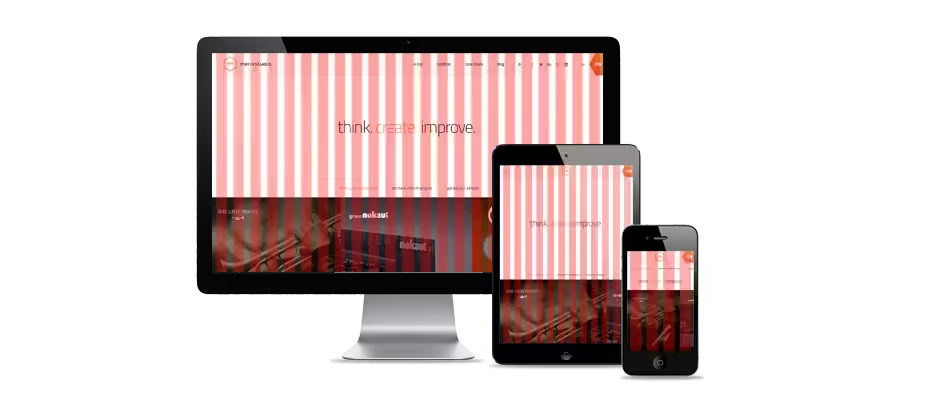
- Responsive design support. Currently one of the most important features of modern, user-friendly website is responsive interface which adjusts to screen size on which it is displayed. However creating website this way is not easy, especially when developer is not familiar with such approach or/and it is necessary to create complex portal, with sophisticated layout. In such case it is worth to consider framework usage; virtually all of them support responsiveness, providing ready-made classes/styles or components. In terms of RWD, possibilities of frameworks like Bootstrap or Foundation are very extensive, plus solutions they are using are proven and continuously improved.
- Shorter development time. One of the main ideas that stands behind frameworks (not only front-end ones) is to equip developer with ready-made solutions which he can implement (and possibly – adjust), instead of creating them completely from scratch. This results in shortening time used to develop website or application. In case front-end frameworks particularly valuable are solutions that refer to aforementioned responsiveness support; dynamic ready-made interface elements, available usually as plugins for popular JS libraries, might also turn out to be useful. However it is important to keep in mind that using framework doesn’t automatically mean that development time will be shortened. Before deciding on framework usage it is worth to consider, will and to what extent – in particular project – possibilities offered by particular framework can be used. Without such analysis it might turn out that real development time is longer because developer didn’t have a chance to use possibilities available in a tool or was forced to modify them significantly in order to meet project specification.
- Ready-made components and plugins. Most of the front-end frameworks contain series of ready-made elements/mechanisms that can be used in the project. What’s important, these are components that are frequently used in various web projects. For example Bootstrap offers ready-made plugins for fast implementation of dynamic navigation menu, modals, sliders, accordions or tooltips. It’s extremely valuable help for less experienced developers that wish to use such solutions in projects they perform (gaining on novelty and attractiveness), but they don’t have proper knowledge or time to prepare them from scratch. In such cases, before deciding on particular tool, it is worth to analyze and check which one offers the biggest amount of required components.
- Prompt prototyping possibility. This benefit is outcome of the above points. Frameworks offer ready solutions that can be implemented quickly. This way it is possible to quickly prepare a prototype of application’s interface or complex website. Such prototype can by 100% interactive, what increases its value. It allows verifying in practice assumptions made, responsiveness or usability of solutions used.
Disadvantages, so what to pay attention to?

Using framework in a project is related with certain cons that should be always taken into consideration.
- Graphic design should be prepared in accordance with possibilities and characteristics of particular framework. For example in Bootstrap two-column-grid is a standard plus there are pre-defined styles imposed for the interface elements (buttons, forms, pagination, menu). In case we are dealing with highly unique layout (which is outcome of the requirements provided by the clients), it will be necessary to modify all the elements mentioned above. In practice, this means extra time required to implement and test the additions: the longest the bigger difference was between graphic designs and the styles imposed by particular framework.
- Greater weight, what increases project’s loading time. Usually frameworks consist of few significantly extended files, which in total can weigh even hundreds of kilobytes. Despite the fact that framework creators try to provide optimized versions (compressed) of their tools, these are still large files. When using complete (containing all components) frameworks, it might turn out that their loading time noticeably extends time of entire page load. It is especially important in case popular websites with high traffic and in case mobile users. Increasing website’s loading time (e.g. on EDGE connection) has negative impact on users usage comfort and generates higher maintenance (transfer) costs.
- One of the frameworks’ advantages is their accessibility and ease of use. We receive ready solution, often with huge possibilities and well-prepared documentation supported by examples. Based on that, fairly quickly, as from the Lego blocks, it is possible to build applications and websites. Problem appears when it is necessary to modify default interface and framework does not offer ready solution. Not all of those tools’ users are capable to meet such challenge as it requires having really extensive knowledge in the web technologies field. When commissioning a project to inexperienced or unchecked developers it might soon turn out that instead of benefits and possibilities we will encounter issues and restrictions. What is more, even in case experienced developers, interfering with certain mechanisms offered by framework might significantly increase development time.
Summary
Front-end frameworks are ready-made tools that when properly used, allow for fast development of modern and responsive web interfaces. In the examples mentioned above, these are highly extended tools that offer huge possibilities for their users.
Properly selected and skillfully used framework gives an opportunity for fast and effective project completion. Frameworks are also great for prototyping (prototype can be ably transformed into complete product).
It is however worth to remember that graphic designs should take into account grid and styles imposed by a framework. Otherwise it might turn out that instead of using framework with all its benefits, it will be first necessary to customize it heavily. In case decision about framework usage have already been taken, it is important to be aware, that using all its components will increase website’s weight and extend its loading time.
Before deciding on framework usage it is always worth to analyze its strong and weak sides. Finally it is important to verify knowledge and experience of developers, to be able to use all included possibilities to maximum and in the same time – minimize risk of potential issues occurrence.

.svg)
.svg)
.svg)
.avif)

.avif)
.avif)
.avif)
